

Introducing Zoom Workplace
In April 2024, Zoom launched Zoom Workplace, bringing AI-supported collaboration features into the familiar Zoom interface.
This article covers some of the features that were most relevant to meeting, chat and recording workflows at the time it was written.
Best features of Zoom Workplace
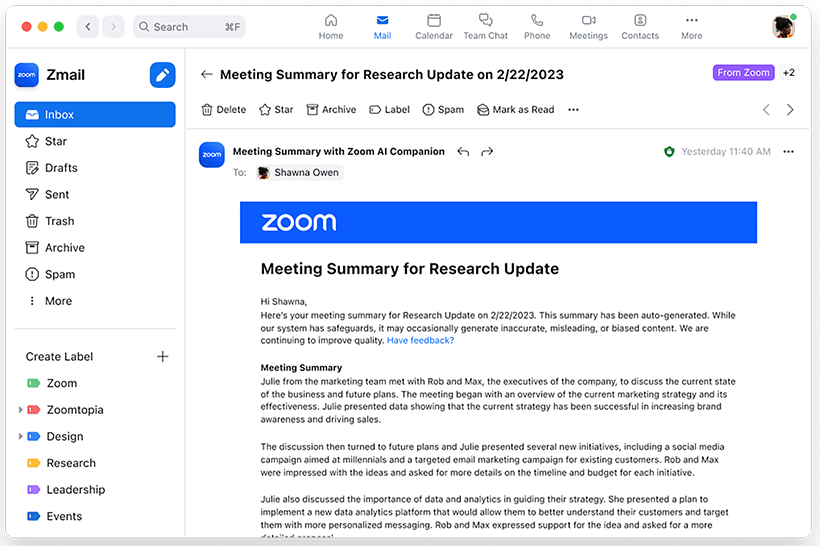
Meeting Summaries
With Zoom Workplace’s AI features, meeting discussions can be summarised and shared via email and Team Chat. The summary can include a brief overview at the top for quick reference.
The AI feature can process meeting conversation and create a document that outlines discussions and deliverables. This can reduce meeting-admin effort and keep follow-up visible after the meeting ends.
Chat Thread Summaries
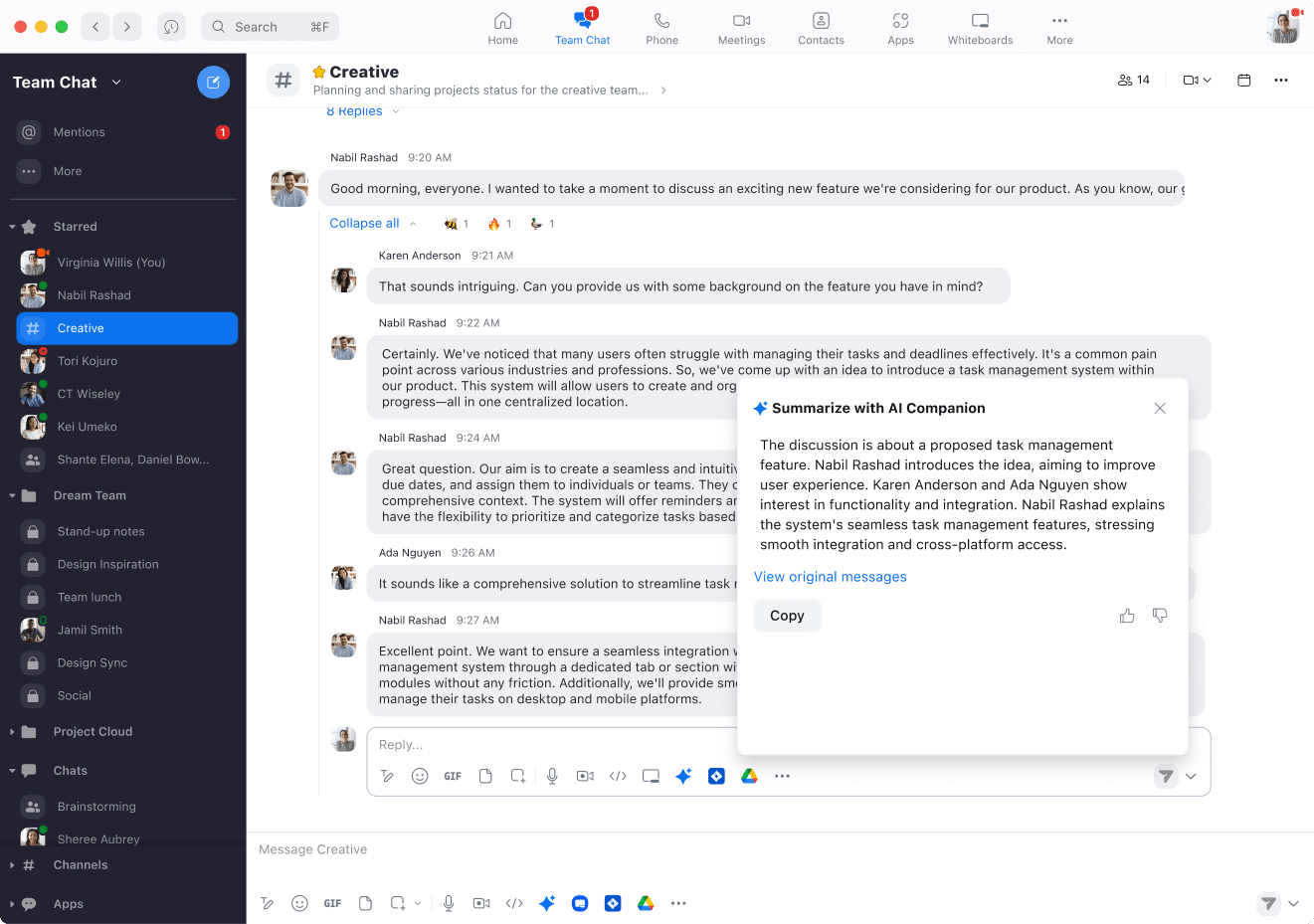
It's frustrating to return to a work group chat and find over 50 new messages to scroll through. With Zoom Workplace, messages in a thread can be summarised into a concise paragraph. The summaries can be useful for filtering conversations and helping users decide where attention is needed.
Smart Recording
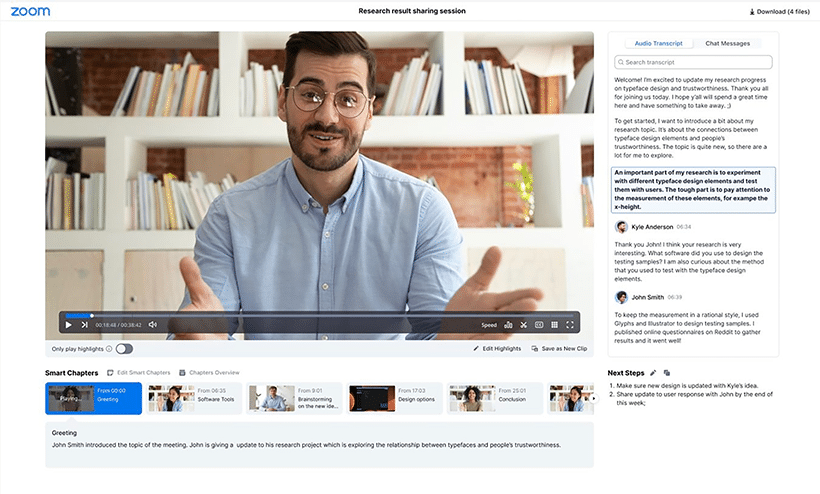
Smart Recording harnesses the power of Zoom AI Companion to enhance your cloud recordings. It organises your recordings into sections called smart chapters, delivers key takeaways through recording highlights, and identifies actionable items with next steps. Additionally, it provides hosts with analytics on key meeting and conversation metrics, including talk speed, talk-listen ratio, longest monologue, filler word usage, and patience.
This feature is particularly beneficial for lengthy meetings and webinars, such as lectures, brainstorming sessions, or company all-hands, allowing you to segment the recording for easier viewing.
Is Zoom Workplace right for you?
Zoom Workplace is positioned for a range of business sizes, from small teams through larger organisations. The useful question is whether the meeting, chat, recording and AI Companion features fit the way your teams already work.
Final Note...
Here we’ve listed some of the key features that can directly benefit your organisation but there are so many more that we haven’t covered here. We are more than happy to give you a demo of the platform if you need and set you up with a trial if you’d like to try Zoom Workplace out for yourself. Please reach out below!
Discuss Zoom Workplace
If you want to understand whether Zoom Workplace fits your collaboration estate, contact Tesrex and we can discuss the practical route.